AppsiPhone appComing soon

Sticki
Turn one photo into a sticker pack of your own.
Sticki makes a character from your photo, gives it nine moods, and sends the pack to WhatsApp, Telegram, LINE and iMessage — all from a gacha machine you can tilt, shake and spin.
Coming soon to the App Store
- 12 styles
- 9 expressions per pack
- Gacha machine with real physics
- WhatsApp · Telegram · LINE · iMessage
- Free Sticker Match
- 5 languages
(What it is)
Sticki makes a character from your photo, gives it nine moods, and sends the pack to WhatsApp, Telegram, LINE and iMessage — all from a gacha machine you can tilt, shake and spin.
01 · Create
One photo. Nine moods.
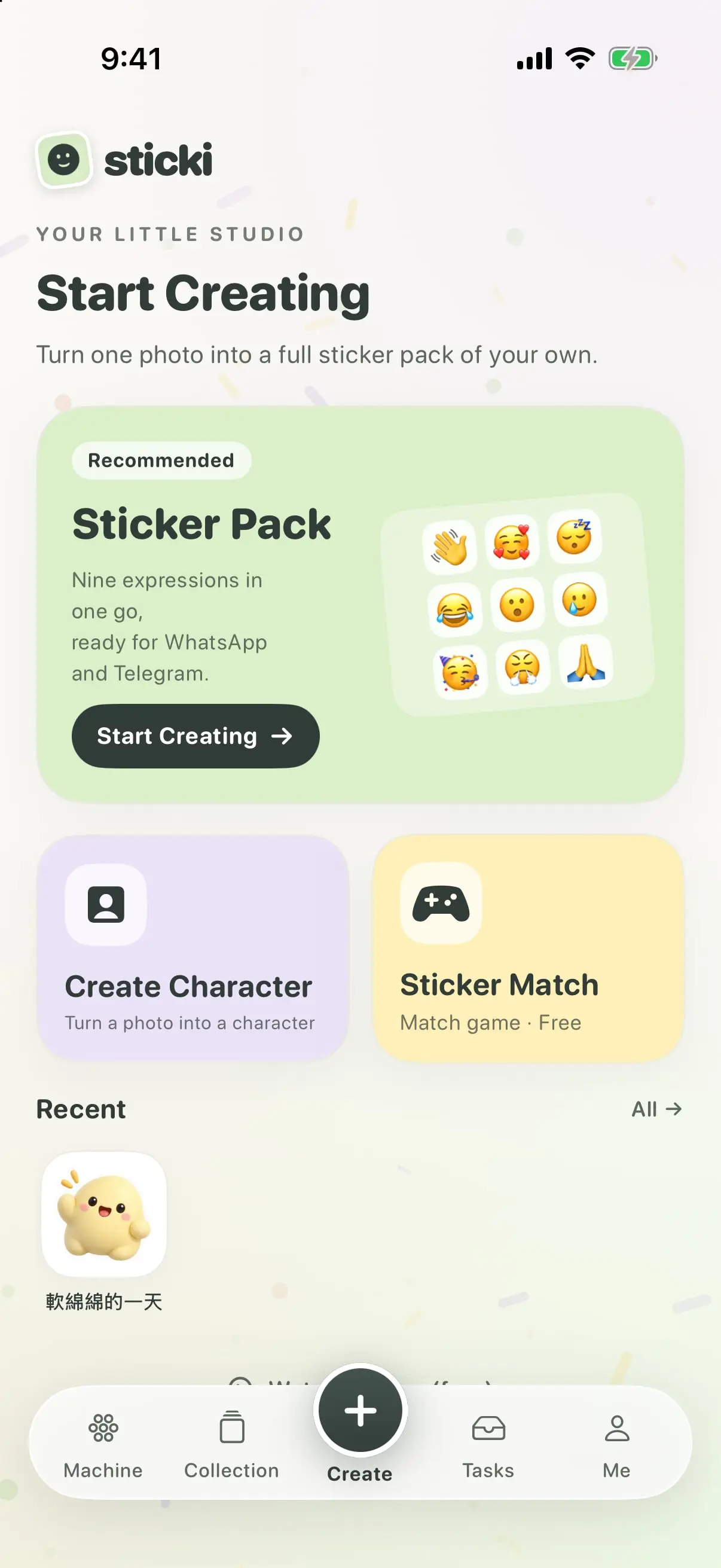
Pick a photo of a person, a pet or a favourite toy, choose a style, and Sticki turns it into a little character with nine expressions of its own. Make a character first and reuse it, or go straight to a sticker pack.
- Twelve styles — Soft Clay, Cartoon, Anime, Realistic, Doodle, Plush, Watercolor, Paper Cut, Pixel, Vinyl Toy, Crayon and Retro Comic
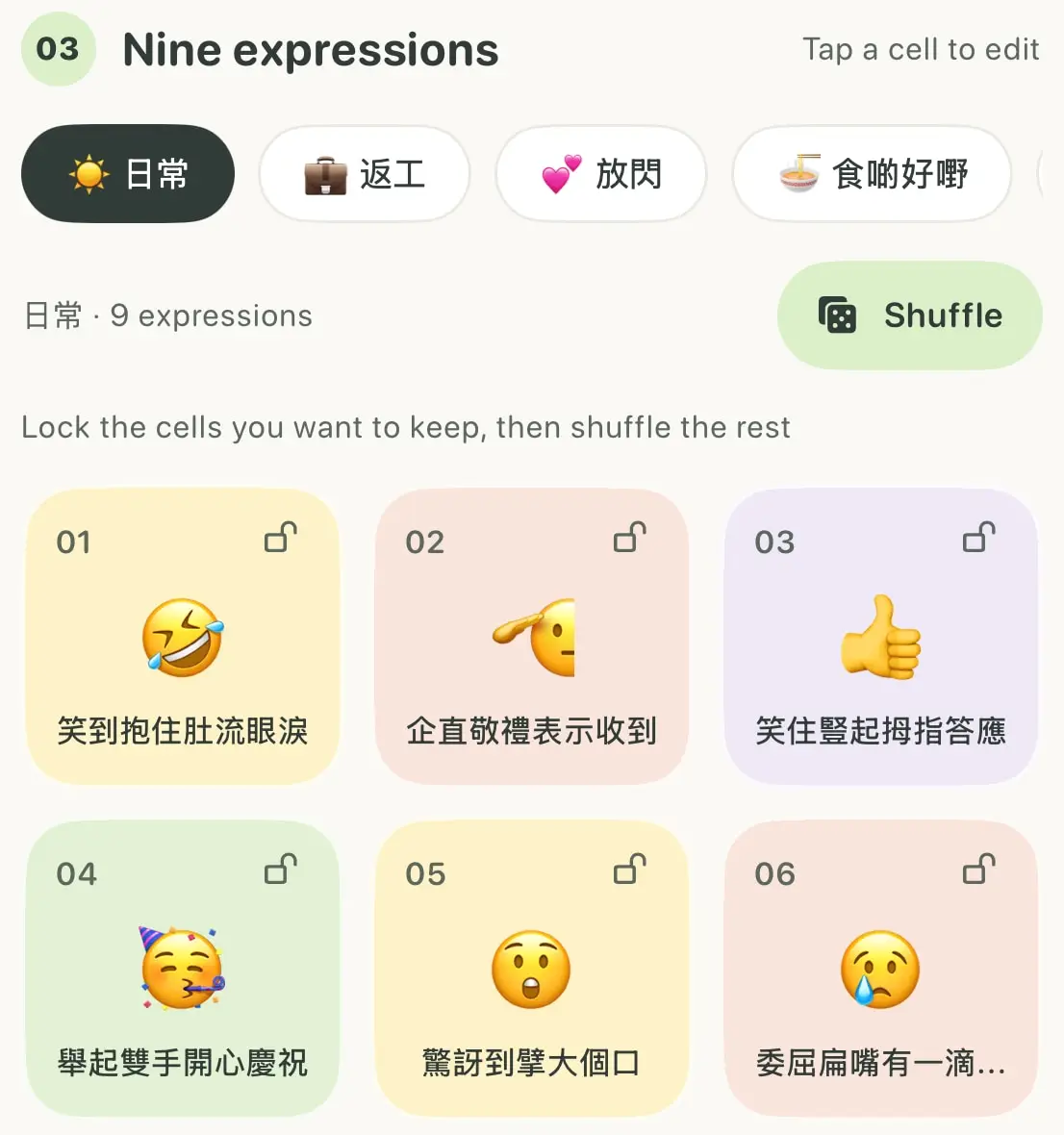
- Nine mood themes, from everyday to goodnight, each with ready-made expressions and short phrases
- Edit any cell, lock your favourites and shuffle the rest
02 · Collect
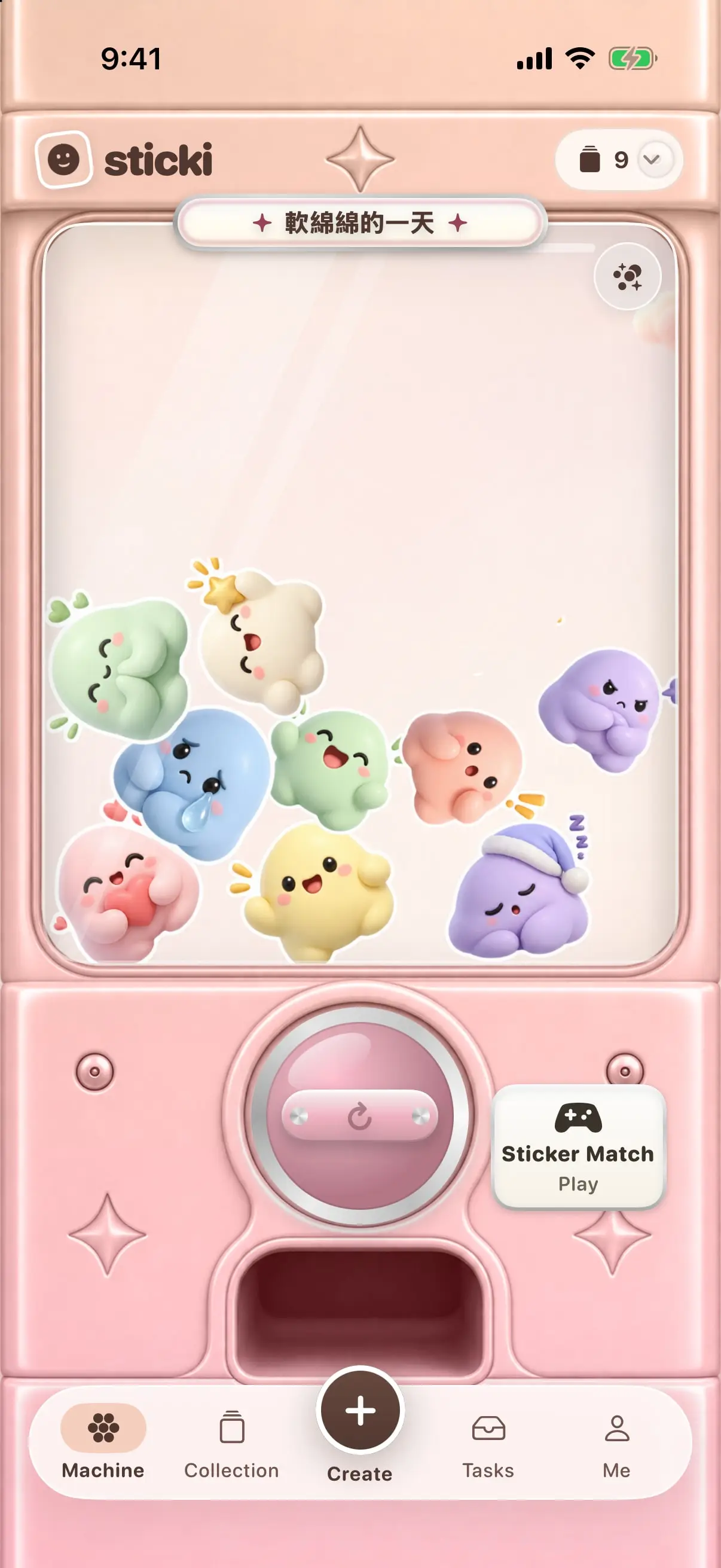
A gacha machine for your stickers
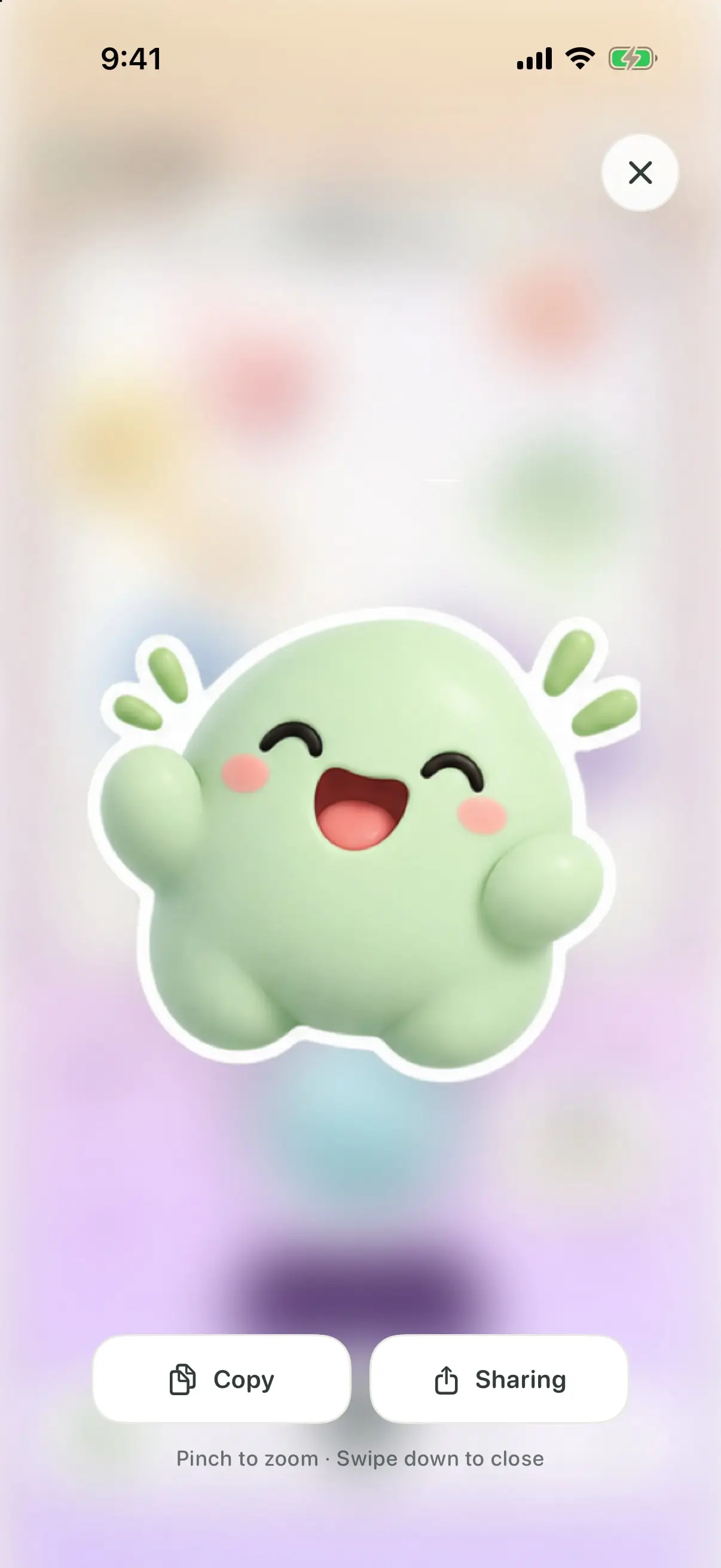
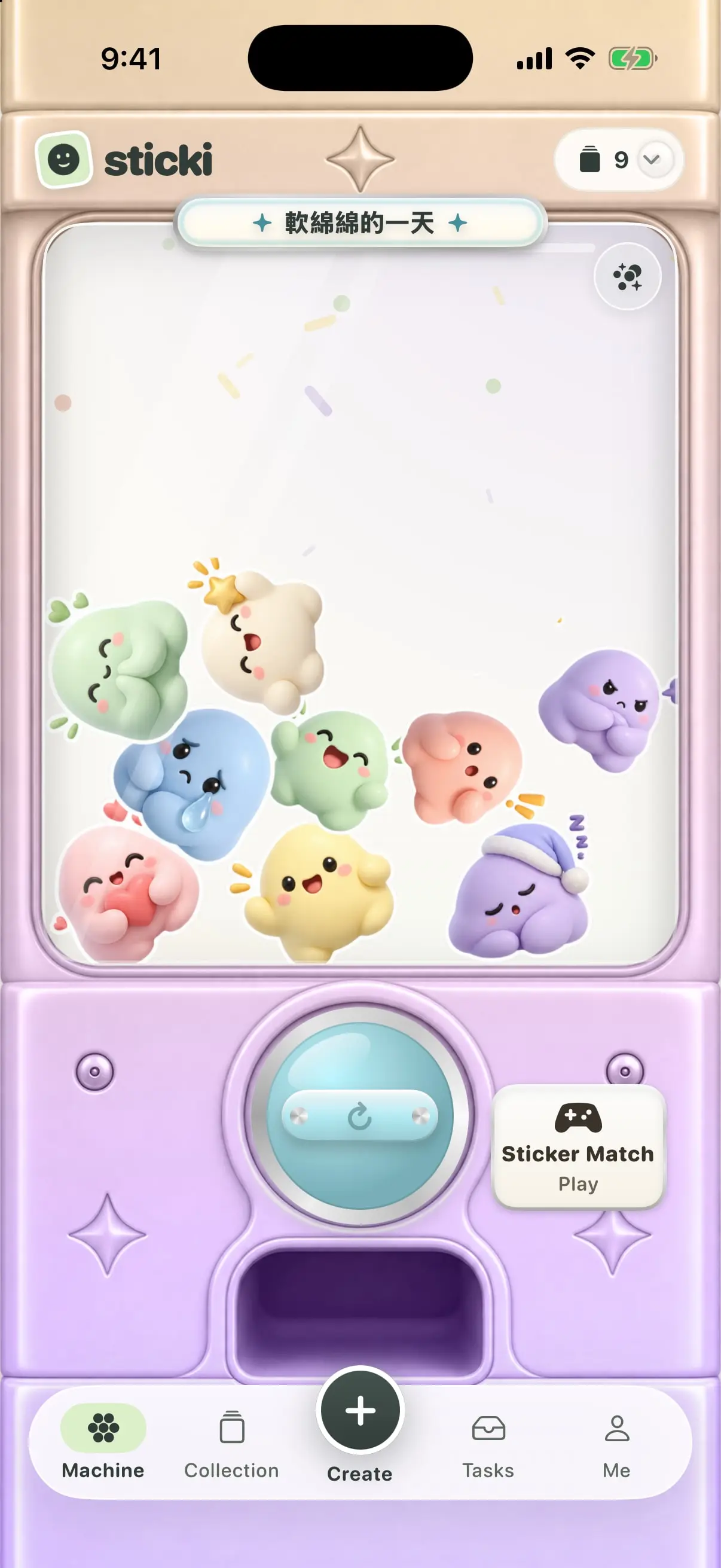
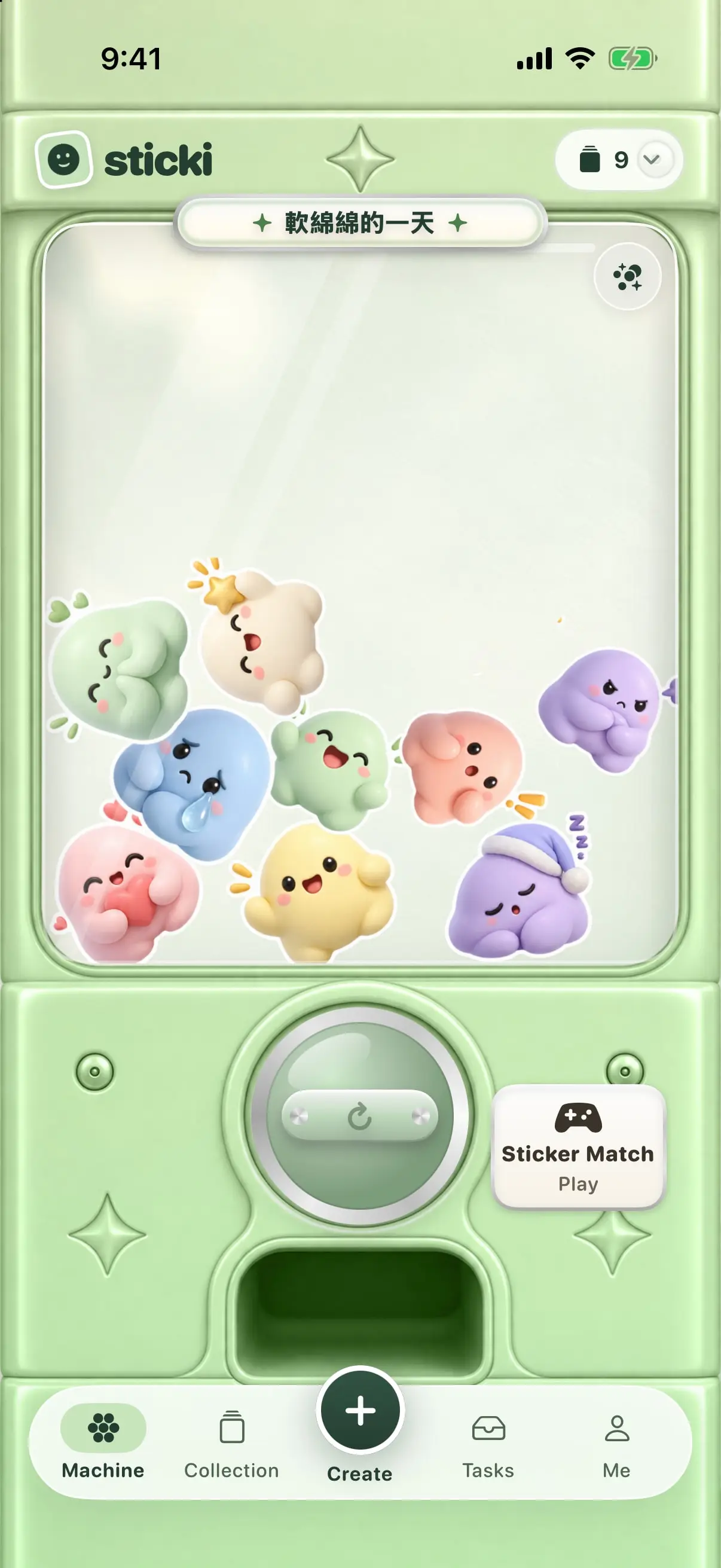
Every pack lives inside a toy-box gacha machine. Tilt your phone and the stickers tumble; spin the knob a few times, fast, and one pops out. Pick it up, pinch to look closer, then copy or share it.
- Stickers collide, stack and slide as you tilt — with haptics you can turn off
- New packs arrive as surprise capsules that drop in from the Dynamic Island
- A full-screen preview for any sticker, ready to copy or share
03 · Share
Send them anywhere you chat
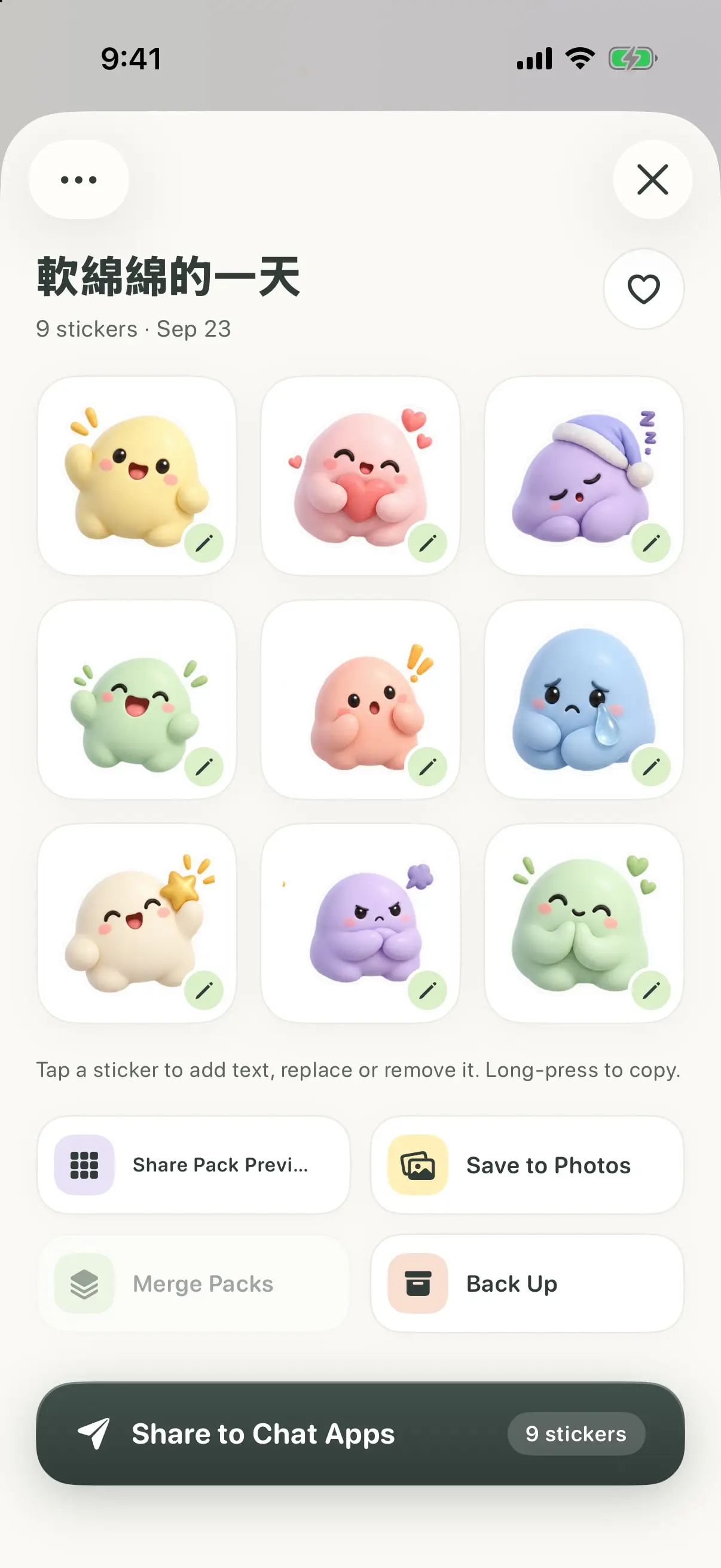
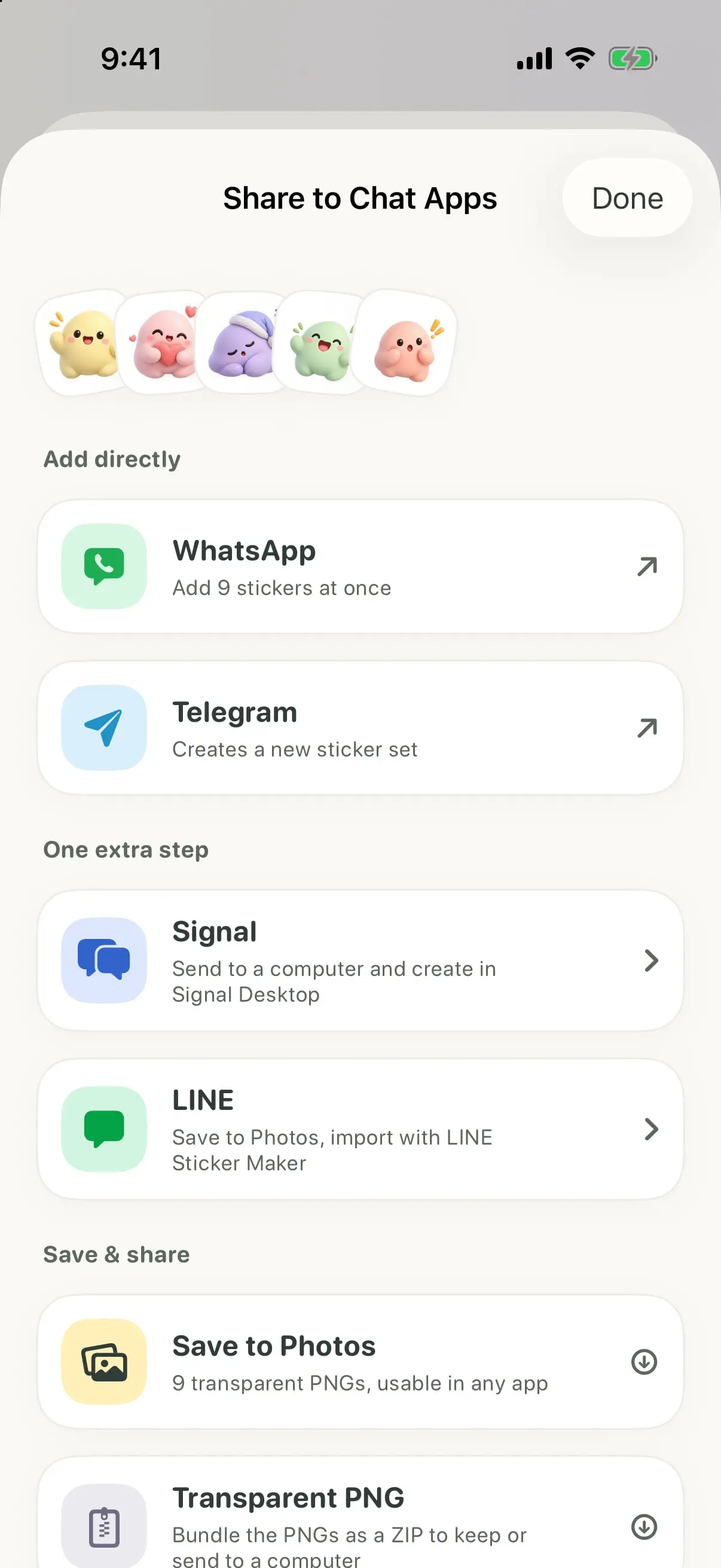
One tap prepares your pack for the app you use. WhatsApp and Telegram open with every sticker ready to add. Signal and LINE take one extra step, and anything can be saved to Photos as a transparent PNG.
- WhatsApp and Telegram: add the whole pack at once
- Signal and LINE: guided steps, with files prepared in the right sizes
- A built-in iMessage app — tap a sticker to send it, or drag it onto a message
- Tap any sticker to add text, swap it or remove it; long-press to copy
04 · Play
Sticker Match, while it brews
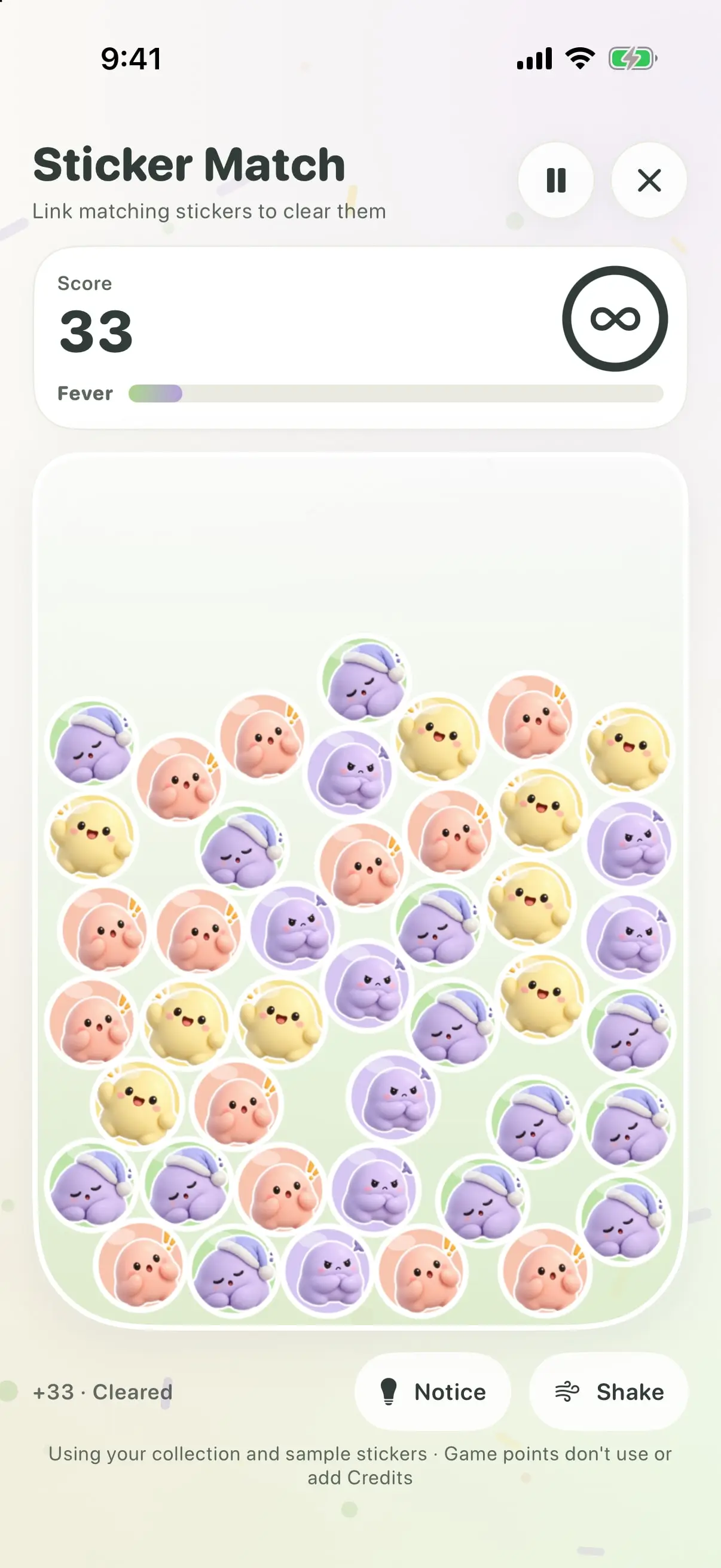
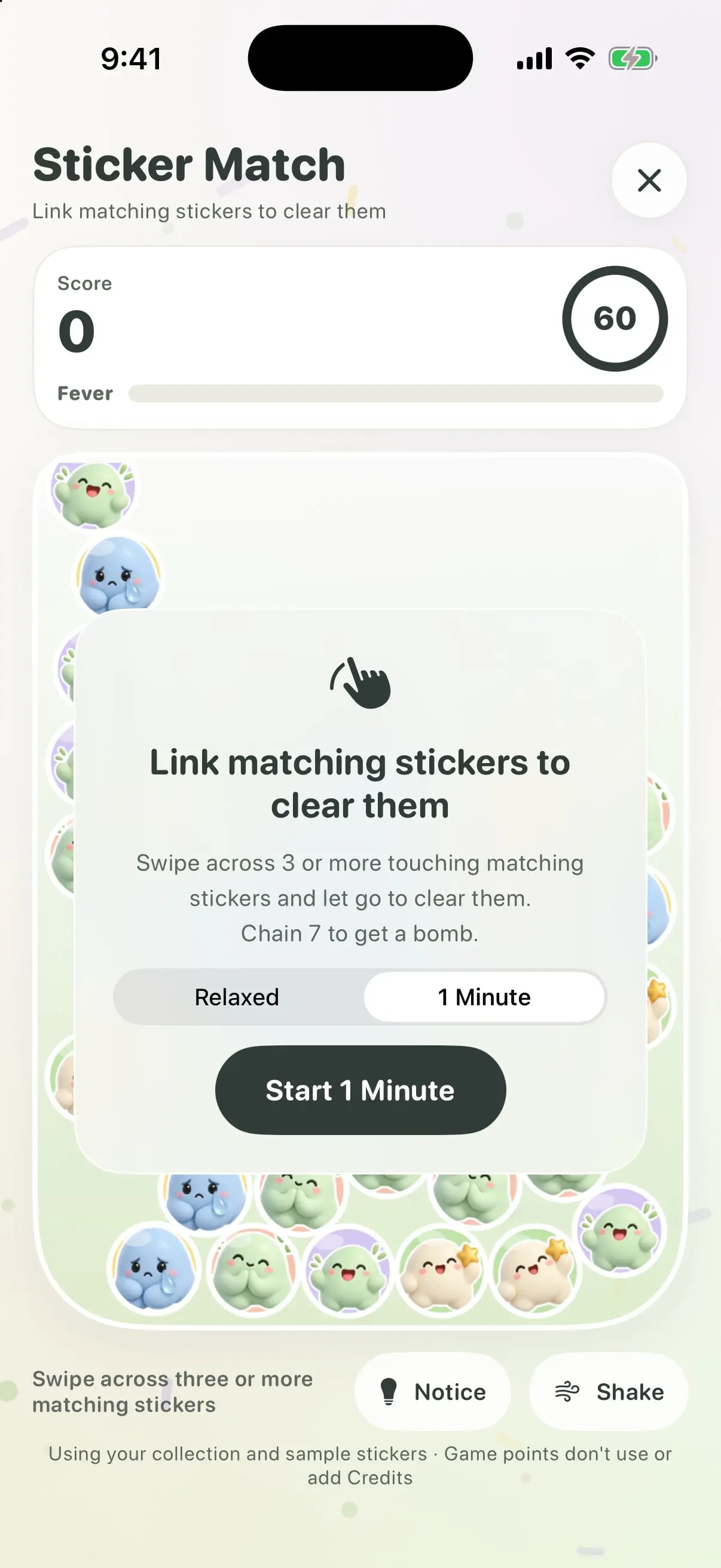
Making a pack takes a moment, and you can keep browsing while it does. When you want something to do, play Sticker Match: stickers drop and pile up, and you swipe across three or more matching ones to clear them.
- Chain seven for a bomb; fill the Fever bar for double points
- Relaxed mode with no timer, or a one-minute run
- Free to play, built from your own collection — with Notice and Shake when you're stuck
05 · Make it yours
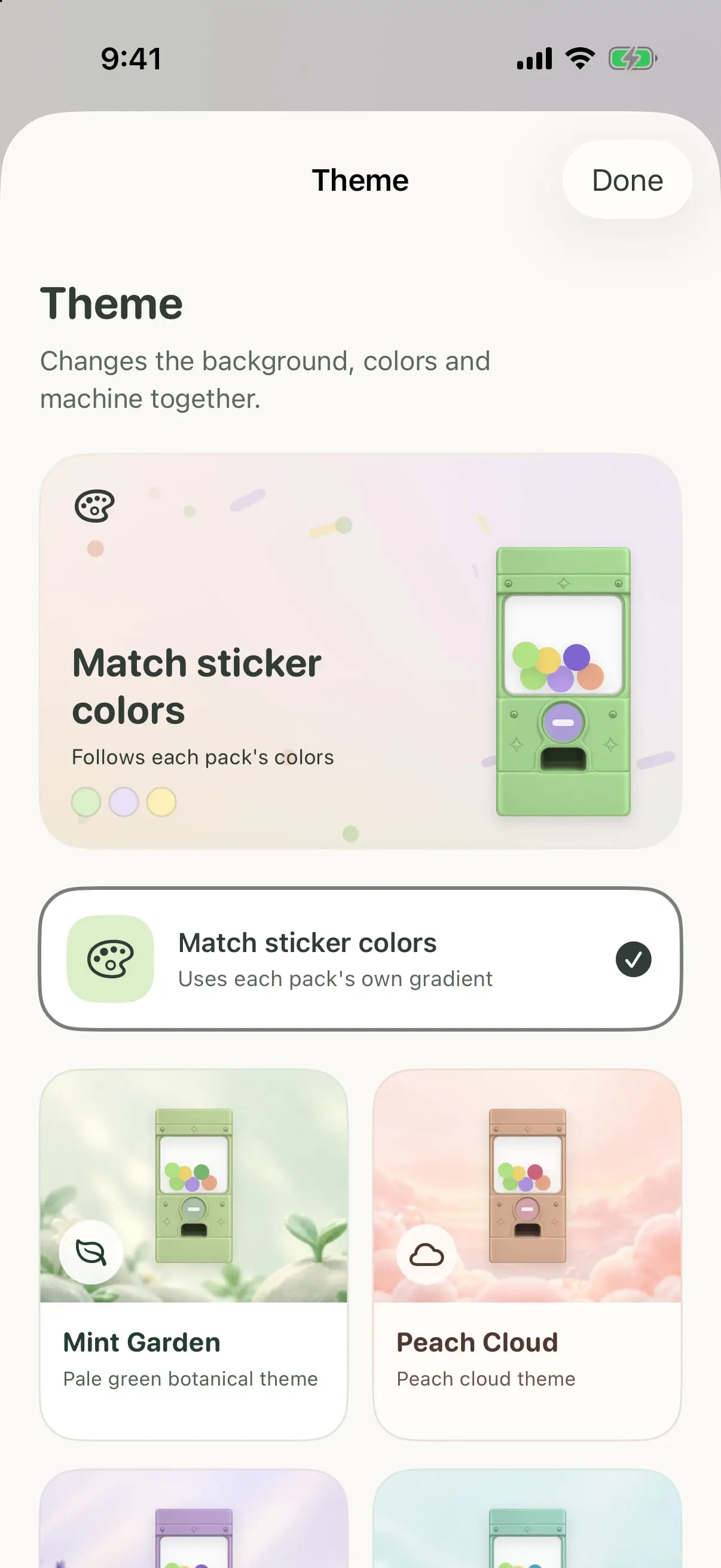
Six machines, one for every mood
Change the whole machine and its background — Mint Garden, Peach Cloud and more — or let it follow the colours of each pack. Haptics, tilt and sound effects are yours to turn up or down, and Reduce Motion is respected.
(How it works)
From photo to pack
04 steps
- 01
Pick a photo
Choose a clear photo of one subject — a face, a pet, a favourite toy.
- 02
Choose a look
Pick a style and nine moods. Edit the words, lock what you love, shuffle the rest.
- 03
Let it brew
Creation keeps running while you browse your collection or play Sticker Match.
- 04
Spin and share
Turn the knob to reveal your stickers, then send the pack to your chats.
(Share)
Works with the apps you chat in
06 ways
Sticki prepares each pack in the sizes and formats the chat apps ask for, so there's nothing to resize or convert.
Add directly
WhatsApp
Add all stickers at once
Telegram
Creates a new sticker set
One extra step
Signal
Send to a computer and create in Signal Desktop
LINE
Save to Photos, import with LINE Sticker Maker
Built in
iMessage
Tap a sticker in Messages to send it
Save & share
Photos & PNG
Transparent PNGs, usable in any app — or a ZIP to keep
WhatsApp, Telegram, Signal, LINE and iMessage are trademarks of their respective owners. Sticki is not affiliated with or endorsed by them.
(At a glance)
- Platform
- iPhone
- Requires
- iOS 17 or later
- Languages
- English, 繁體中文, 简体中文, 日本語, 한국어
- Price
- To be announced
- Made by
- Kit Chow, built with Claude
- Photos
- Re-encoded and stripped of metadata, including location, before they are sent to create your pack. Finished stickers are saved on your phone.
(Questions)
When can I get it?
Sticki isn't on the App Store yet. Tap “Notify me” and you'll hear as soon as it is.
Do I need an account?
No. You can play with the gacha machine and Sticker Match using the sample stickers without signing in. Creating your own packs uses credits, which stay with your account.
What will it cost?
Creating a pack uses credits. Pricing isn't final — it will be shown clearly in the app and on the App Store page before you buy anything.
Which photos work best?
A clear photo of one subject — a face, a pet or a favourite toy.
Does it sync to my other devices?
Not yet. Your collection is saved on your phone. You can back up a pack to a file and import it again later.
Which phones does it run on?
iPhones running iOS 17 or later. An iPhone with a Dynamic Island gets the full reveal animation; other phones drop the stickers in from the top of the screen.